
Solar inverters and UPS power systems are often confused, but they serve very different purposes.A UPS, on the other hand, is a battery-backed system that kicks in the instant grid power fails — switching over in milliseconds, fast enough that sensitive equipment never reboots. A solar inverter converts the direct current (DC) from solar panels into the alternating current (AC) our devices use. In this article, we will introduce these two types of products.
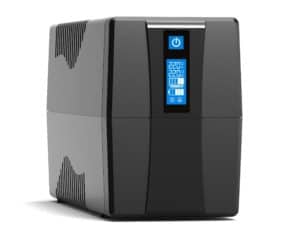
What Is Different Between UPS And Inverter:How UPS Works When Power Is On
When everything is normal:
- AC power: Power from the grid goes through the UPS to your devices.
- Battery charging: The charger uses some AC to keep the battery charged.
Your devices run on normal power. The battery stays full and ready.
How UPS Backup Battery Works During Power Outage
If there is a blackout:
- The switch senses trouble immediately.
- The UPS switches to battery power quickly.
- The inverter converts stored DC from the battery into AC for your devices.
- Your equipment keeps working until power comes back or the battery runs out.
No data loss. No damage. Everything stays safe with Newpro Power.
What is dfference: Different Types of UPS backup power Systems
UPS systems come in three main types:
Different Type UPS backup power |
HowUPS backup power SystemsWorks |
Best For |
|---|---|---|
| Offline UPS | Switches to battery only when main power fails | Basic home or office use |
| Line Interactive UPS | Controls voltage and switches to battery if needed | Small businesses, servers |
| Online/Dual Conversion UPS | Always powers load through inverter for full protection | Critical equipment, data centers |
Choose the one that fits your needs best. An offline UPS is good for basic tasks. A line-interactive UPS is suitable for small servers. An online/dual-conversion UPS is for big jobs like data centers or medical equipment.
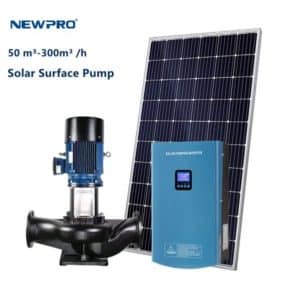
How Inverter Works: Changing dc to ac Power
Inverters are more often applied in the field of renewable energy power generation, such as solar power generation systems and wind power generation systems, to convert the dc power generated by power generation equipment into ac power for grid connection or for users.
An inverter takes power from a battery (called dc) and converts it into the power your home needs (called ac). Most appliances in your house use ac, but batteries and solar panels store energy as dc. The inverter’s job is to convert dc to ac.
When your main power is working, the inverter charges the battery. If the power stops, the inverter quickly supplies ac power to your house. This keeps your lights and appliances running. You do not experience sudden blackouts. You have steady electricity for your appliances. With Newpro Power, you get reliable backup for your home or business.
What is difference:Main Parts of an Inverter System?
Every inverter system has a few important parts that work together to give you steady backup power. If one part stops working, the whole system can fail.
The main parts are:
- Battery: Stores dc energy for backup.
- Charger: Charges the battery using main or solar power.
- Inverter: Converts stored dc into ac for your devices.
- Rectifier: Converts incoming ac into dc for charging.
- Transformer: Adjusts the voltage to the correct level for your appliances.
How Inverters Work When Power Is On
When electricity is working in your house, here is what happens:
- The charger uses main or solar power to fill up the battery.
- The rectifier converts ac into dc so the battery can store it.
- The inverter waits and watches for any power cuts.
The battery stays full and ready. The system waits until you need it.
Quick steps:
- The battery is charged.
- The system monitors the power supply.
- Everything remains ready just in case.
So, when you need backup, it is ready to help.
How Inverters Work During Power Outage
If the lights go out, the inverter starts working immediately.
Here is how it works:
- The battery provides stored dc power quickly.
- The inverter converts dc into ac for your devices.
- Your lights and fans keep running without stopping.
Some important considerations are:
- DC to AC Conversion: Makes sure all appliances get safe power.
- Load Capacity: Indicates how many devices can run at once.
- Backup Duration: Depends on battery size and how much you use during an outage.
The switchover is fast. Electronics stay safe. You can keep doing what you were doing before the outage.
Different Types of Inverters
Not all inverters are the same. There are three common types used in homes and businesses:
Main types:
- Pure Sine Wave Inverters
- Provide smooth and clean AC power.
- Best for sensitive devices like computers or medical equipment.
- Modified Sine Wave Inverters
- Produce a stepped wave, not as smooth as a pure sine wave.
- Good for simple devices but may cause some to buzz or overheat.
- Square Wave Inverters
- Produce a blocky wave shape.
- Only good for basic things like bulbs or old fans—not modern electronics.
Choose an inverter based on what you want to run during an outage. Think about how much load you need and what quality of backup you want before choosing.
Knowing how inverters work helps you understand the difference between a UPS and an inverter or find good backup solutions. It also helps you pick a voltage stabilizer for solar systems or other backup needs with Newpro Power.
Switching Time Difference Between UPS and inverter
Power cuts can be annoying. A UPS from Newpro Power switches very fast—just 2 to 5 milliseconds. That is extremely quick! Inverters take longer, about 25 to 50 milliseconds. This small delay can cause computers or medical equipment to stop working correctly. A UPS keeps the voltage steady, even if the main power is not stable. Inverters do not always do that.
Quick facts:
- UPS: switches very fast (2–5 ms)
- Inverter: takes a bit more time (25–50 ms)
- UPS keeps voltage steady
- Both help during power cuts
| Feature | UPS | Inverter |
|---|---|---|
| Typical Switching Time | 2-5 ms | 25-50 ms |
| Voltage Regulation | Yes | Sometimes |
| Power Outage Protection | Immediate | Slight Delay |
Power Quality Difference Between UPS and Inverter
Power quality means how smooth and safe the electricity is. A UPS provides pure sine wave power, just like the electricity from the grid. This keeps your devices safe. Inverters come in two types: sine wave and modified sine wave. Sine wave inverters work well for most devices. Modified sine wave inverters are cheaper but can cause some devices to buzz or not work correctly.
UPS systems stabilize voltage and clean the power. They protect computers, servers, and medical equipment from sudden changes in electricity.
Main points:
- A UPS provides pure sine wave output
- A sine wave inverter works for most electronics
- A modified sine wave inverter is cheaper but not always good
- A UPS helps keep voltage steady and clean
Applications Difference Between UPS and Inverter
Choosing between a UPS and an inverter depends on what you need to power.
- For sensitive electronics? Use a UPS.
- Need backup for short blackouts at home? Use a UPS.
- Need backup for lights and fans during long power cuts? Use an inverter.
- For medical equipment? Always use a UPS.
- For home appliances like TVs or fridges? Inverters work but may not handle sudden changes well.
Cost Difference Between UPS and Inverter
The price depends on what you need. A UPS costs more because it switches quickly and keeps the voltage steady. An inverter is less expensive and good for basic backup at home.
When picking the best UPS brand or best inverter brand, check if it is reliable and fits your needs. Good brands like Newpro Power save money over time because they last longer.
Things to check:
- Price vs features
- Brand reliability
- After-sales support
- What you want to run
Noise Difference Between UPS and Inverter
UPS systems from Newpro Power are usually quiet because they have fewer moving parts. Some inverters make humming sounds from transformers or fans. If you want to use it in your bedroom or office, the noise level matters.
Keeping the unit clean helps lower noise too.
Tips:
- Place units away from bedrooms if you can
- Clean fans and vents regularly
Maintenance
Both UPS and inverter systems require maintenance to work well.
- Check battery health monthly.
- Clean battery terminals to prevent rust.
- Test the switching function periodically.
- Follow the manual if there are alarms or if backup time decreases.
Good maintenance helps your backup system last longer and prevents problems before they start. If something seems wrong, call technical support at Newpro Power.
Choosing the Right Solution: UPS or Inverter?
Choosing between a UPS and an inverter can be confusing. Both provide backup power, but they work in different ways. The best choice depends on what you want to protect, your budget, and how long you need power when the electricity goes out.
Things to Think About
Type of equipment
- Some equipment needs steady power all the time.
- Computers, servers, and medical machines cannot tolerate power cuts or surges.
- Fans and lights can handle short breaks or small changes in power.
How sensitive your devices are
- A UPS switches to battery power right away—no waiting.
- Inverters take a few seconds, so some devices might turn off for a bit.
- If your equipment needs perfect voltage, a UPS is better.
Budget
- A UPS costs more because it works faster and provides more protection.
- Inverters are less expensive and are good for simple backup.
How long you need backup
- Think about how long you want equipment to run when the power goes out.
- A UPS provides short-term backup—just enough time to save work or shut down safely.
- Inverters can run longer if you have larger batteries.
Power needs
- Add up the watts for everything you want to keep running.
- Choose a system that matches your total load.
Quick Comparison Table
| Factor | UPS | Inverter |
|---|---|---|
| Switching Time | Instant (milliseconds) | Few seconds delay |
| Voltage Regulation | Excellent | Good (depends on model) |
| Load Capacity | Varies by model | Varies by model |
| Backup Duration | Short (15–60 minutes) | Longer with bigger batteries |
| Cost | Higher | More affordable |
| Maintenance | Low | Needs battery checks |
When to Choose a UPS
Protecting important data
- Servers, computers, and network gear need steady power.
- A UPS stops data loss by keeping things running without interruption.
Medical equipment
- Medical devices like ventilators must never lose power.
- A UPS keeps these machines safe and working all the time.
Electronics needing clean power
- Some electronics need smooth voltage.
- A UPS provides steady voltage and protects from surges or dips.
When to Choose an Inverter
Home backup power
- Inverters help keep lights, fans, and TVs on during outages.
- They work well for homes that need basic backup.
Less sensitive appliances
- Fans and lights can handle a short pause in power.
- Simple inverters are fine for these loads.
Saving money
- If you want backup but do not want to spend much, an inverter is a good choice.
- It is great for simple needs without fancy features.
Conclusion: Making the Right Choice between
Here is how UPS and inverters are different:
- Switching time: A UPS acts fast; inverters take a bit longer.
- Voltage regulation: A UPS keeps voltage steady for sensitive equipment.
- Load capacity: Both come in many sizes; pick what fits your needs.
- Backup duration: Inverters last longer with larger batteries.
- Cost: Inverters usually cost less than UPS units.
When you know these answers, choosing becomes easier. Newpro Power has robust UPS and inverter options for homes, offices, farms, or big buildings. You get reliable backup that fits your needs. Need help? Contact Newpro Power for a free consultation.
What Are Differences Between UPS And Inverter? 7 Key Facts Every Homeowner Should Know
- Switching Speed Matters: From our hands-on installations at Newpro Power, the most noticeable difference is switching time—UPS systems provide instant (2–5 ms) backup, while inverters have a brief delay (25–50 ms). This can mean the difference between your computer staying on or restarting during an outage. For more on power reliability standards, see IEEE Power & Energy Society.
- Device Protection Levels: A common pitfall we see is using inverters for sensitive electronics. UPS units offer superior voltage regulation and surge protection, making them ideal for computers and medical equipment. Inverters are best for basic appliances like fans and lights. The U.S. Department of Energy explains why voltage stability is critical for electronics.
- Backup Duration Differences: In our experience, inverters paired with larger batteries (like tubular or lithium-ion) provide longer backup times—sometimes several hours—while UPS systems typically cover short outages (15–60 minutes), just enough to safely shut down devices.
- Battery Compatibility: UPS units usually use sealed lead-acid batteries that require little maintenance. Inverters are more flexible, supporting lead-acid, tubular, or lithium-ion batteries. Choosing the right battery impacts both performance and lifespan.
- Cost vs. Value: Many users ask us about price differences. UPS systems cost more upfront due to advanced electronics and faster switching but deliver better protection for high-value equipment. Inverters are budget-friendly solutions for general home backup needs.
- Noise Levels: From our field testing, UPS systems are generally quieter than inverters, which may produce a humming sound from fans or transformers—something to consider if you need backup in bedrooms or offices.
- Solar Integration: If you are planning solar power, inverters are designed to work seamlessly with solar panels by converting DC from batteries to AC for your home. Some modern UPS models also support solar charging, but check specifications before purchasing.
Need expert help choosing between a UPS and inverter? Contact Newpro Power today for personalized advice and reliable solutions tailored to your backup needs.
Can I use both a UPS and an inverter together at home?
Yes, you can use both. The UPS protects devices like computers. The inverter provides backup power for lights and fans for a longer time.
Does a UPS or inverter work better with solar panels?
Inverters work well with solar panels. They convert the DC power from solar batteries to AC power for your home. Some UPS models can also charge with solar power.
Which battery type lasts longer in backup systems?
Tubular and lithium-ion batteries last longer than flat plate or sealed lead-acid batteries. They need less care and provide more backup cycles.
Is it safe to connect a fridge to an inverter?
You can connect a fridge if your inverter is strong enough. Check the watt rating before plugging in large appliances.
How do I know what size UPS or inverter I need?
Add up the watts of all devices you want to use during a power cut. Choose a system that matches or is higher than this total.
Do inverters make noise during operation?
Some inverters make humming sounds because of fans or parts inside. Pure sine wave inverters are usually quieter than other types.
Can I run my Wi-Fi router on an inverter during outages?
Yes, you can run your Wi-Fi router on an inverter. It uses little power and works well with most backup systems.
What is the main reason people choose a UPS over an inverter?
People choose a UPS because it switches instantly and keeps the voltage steady. This keeps computers and medical equipment safe from sudden power loss.
How often should I replace the battery in my UPS or inverter?
Most batteries last 2 to 4 years. Change them when backup time becomes short or if you see warning lights on your system.
Are there any risks if I overload my inverter or UPS?
Overloading can damage the system or cause it to shut down suddenly. Always check the maximum load before connecting devices.
Can I install a UPS or inverter by myself at home?
Small plug-and-play units are easy to set up by yourself. For bigger systems, have a professional install them safely.
Do both UPS and inverters protect against voltage surges?
UPS units protect better against voltage surges than basic inverters. Some advanced inverters also have surge guards built-in.
Will using an inverter increase my electricity bill?
Charging the battery uses some extra power, but the amount is small compared to your main usage. Proper maintenance helps keep costs low.
Is it okay to keep my backup system running all day?
Yes, keep your system plugged in so the batteries stay charged and ready for outages. Turn it off only if it will not be needed for a long time.
Which is more eco-friendly: UPS or inverter systems?
Inverter systems with solar panels are more eco-friendly because they use renewable energy to charge batteries.
Can I upgrade my existing inverter to support more devices later?
You can upgrade by adding larger batteries or getting a higher-capacity model, but check with your brand’s support team first.
Why does my computer restart when using an inverter during power cuts?
There is a short delay when switching, so some computers restart. A UPS prevents this by switching instantly without any break.
Do all types of appliances work with both UPS and inverters?
Sensitive electronics need a pure sine wave output from either device. Basic appliances like bulbs work with most backup systems.
How do I maintain my UPS or inverter for best performance?
Check battery water levels if needed, clean terminals, test the backup every month, and follow brand instructions for safety checks.
What happens if my area has frequent power cuts every day?
Frequent outages may cause batteries to wear out faster. Choose high-quality batteries and maintain them for a longer life with Newpro Power solutions.